July 17, 2026
What's New: Cross-sell
Cross-sell recommendations are now live in Booqable! Recommend relevant add-ons directly on your product pages to increase average order value and generate more revenue from every booking.
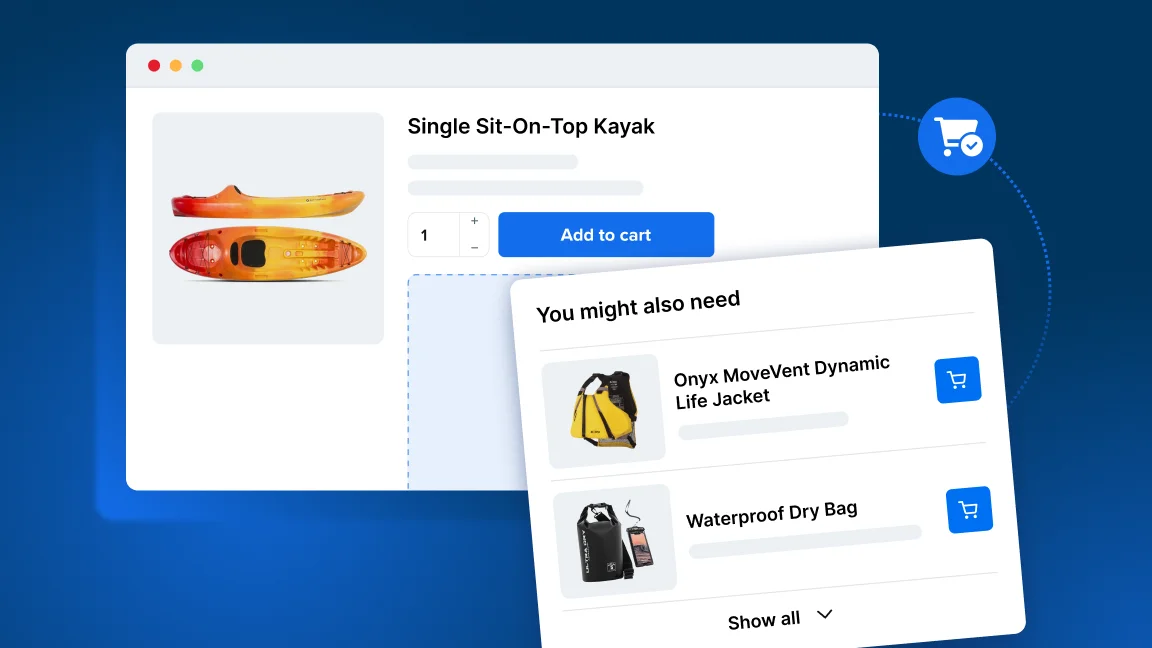
Cross-sell recommendations help you promote relevant products at the right moment, making it easier for customers to add useful extras while booking online.
Why use cross-sell recommendations?
-
Promote relevant add-ons, accessories, and services
-
Create upsell opportunities without manual sales work
-
Generate more revenue from each booking
-
Increase average order value
-
Help customers discover products they may otherwise overlook
How to access Cross-sell
This feature is available on the Grow plan or higher.
Go to Settings > Account and billing to see if you are subscribed to the right plan or you can upgrade to get access to this feature and more.
How to set up Cross-sell
-
Enable Cross-sell from Settings > Cross-sell.
-
Choose your widget settings from here and save.
-
Add cross-sell products to each of your products by going to Inventory > select a product > Cross-sell.
-
Add and remove products to go on that product’s cross-sell list.
For a more detailed guide, check out the Help Center article for instructions on How to set up cross-sell product recommendations or watch the video on our YouTube channel!